PAPAs Crimson Crown - Royal Throne Hall Regear Base
User Description
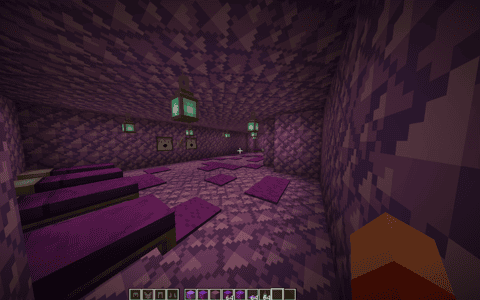
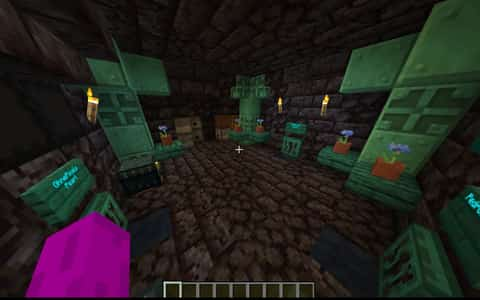
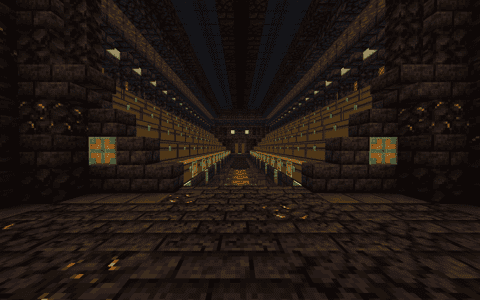
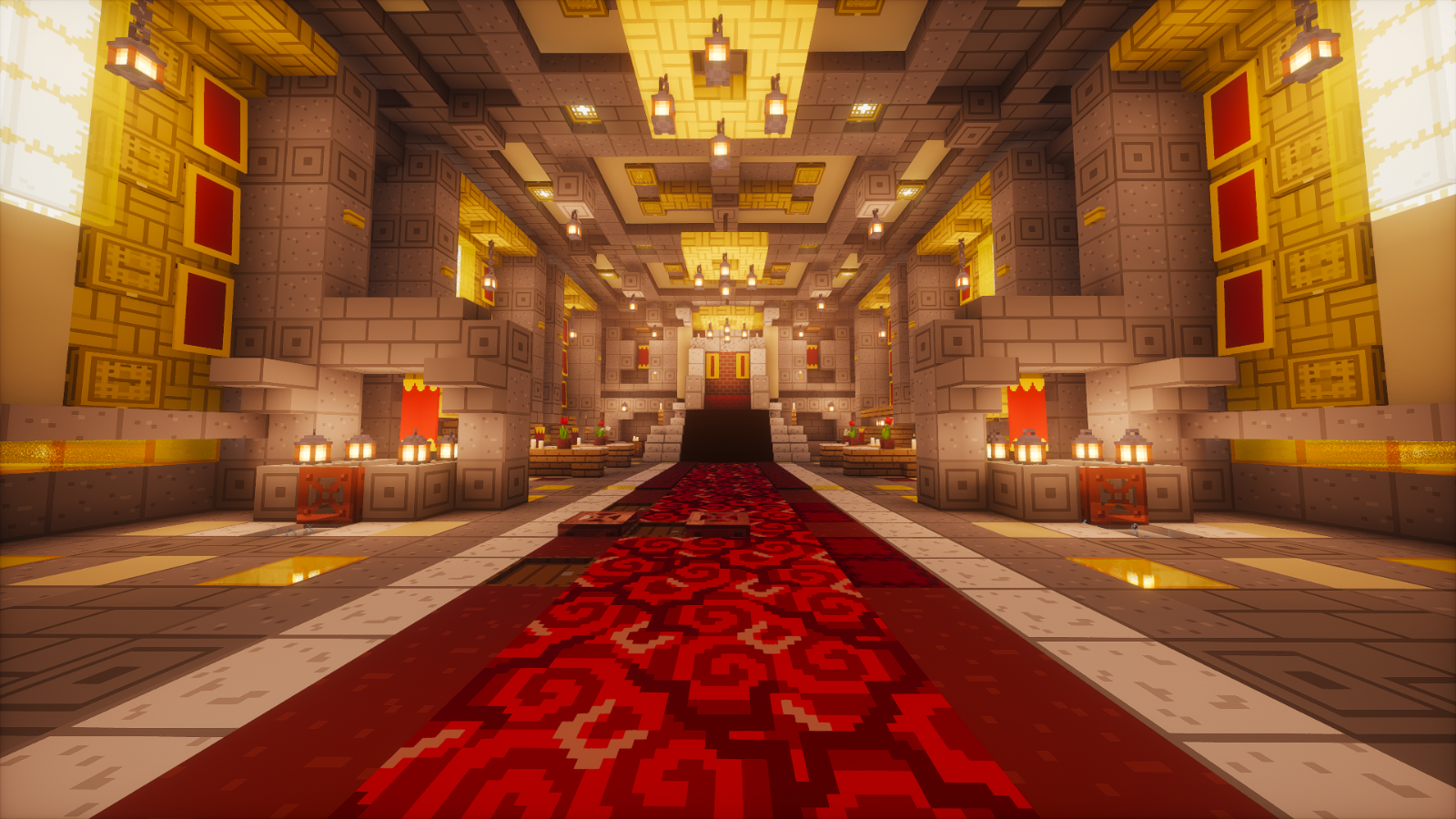
Step into a richly detailed royal hall where a crimson patterned aisle leads between matching pearl-stasis docks to a pale carved throne. Six glowing bamboo-and-gold wall bays rise behind red heraldic standards, framed by deep stone ribs, carved capitals, and warm lantern light.
Above the hall, three crown chandeliers hang beneath layered sandstone, gold, and stone ceiling coffers. Below, capped timber audience chairs, candlelit tables, red tulips, book-lined corner consoles, and ceremonial floor inlays give the room the atmosphere of a furnished medieval court.
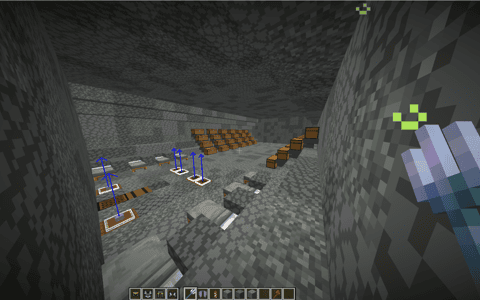
The red pathway continues across the integrated Sigma floor regear, keeping the original working controls, refill openings, and gear containers accessible. Matching bedside candle nooks and a framed red P and C entrance wall complete the room. A fitted obsidian and crying-obsidian shell surrounds the finished interior and lower machinery.
Created for PAPAxCRAFTER from the supplied throne-room reference. Sigma floor mechanism
Details
Initializing...
Rough estimate using the latest auction house (/ah) price history. Actual in-game prices can vary.
| Material | Unit Price | Count | Subtotal |
|---|---|---|---|
| $89,950.00 | 76 | $6,836,200.00 | |
| $7,812.50 | 602 | $4,703,125.00 | |
| $882.02 | 3360 | $2,963,598.75 | |
| $8,750.00 | 159 | $1,391,250.00 | |
| $43,229.17 | 24 | $1,037,500.00 | |
| $374.92 | 2384 | $893,813.56 | |
| $10,987.10 | 73 | $802,057.96 | |
| $2,310.19 | 297 | $686,125.69 | |
| $3,828.13 | 102 | $390,468.75 | |
| $2,414.06 | 139 | $335,554.69 | |
| $2,726.56 | 82 | $223,578.13 | |
| $52,000.00 | 4 | $208,000.00 | |
| $9,375.00 | 14 | $131,250.00 | |
| $3,716.31 | 20 | $74,326.25 | |
| $2,320.31 | 26 | $60,328.13 | |
| $4,122.50 | 14 | $57,715.00 | |
| $17,500.00 | 3 | $52,500.00 | |
| $3,247.00 | 15 | $48,705.00 | |
| $7,812.50 | 5 | $39,062.50 | |
| $6,328.13 | 6 | $37,968.75 | |
| $3,476.56 | 10 | $34,765.63 | |
| $8,099.50 | 4 | $32,397.98 | |
| $15,450.00 | 2 | $30,900.00 | |
| $13,719.75 | 2 | $27,439.50 | |
| $2,272.00 | 6 | $13,632.00 | |
| $2,496.50 | 4 | $9,986.00 | |
| $2,398.44 | 4 | $9,593.75 | |
| $4,697.50 | 2 | $9,395.00 | |
| $1,850.00 | 5 | $9,250.00 | |
| $592.97 | 14 | $8,301.56 | |
| $6,000.00 | 1 | $6,000.00 | |
| $1,398.50 | 4 | $5,594.00 | |
| $3,750.00 | 1 | $3,750.00 | |
| $494.42 | 5 | $2,472.10 | |
| $2,343.75 | 1 | $2,343.75 | |
| $1,828.90 | 1 | $1,828.90 | |
| $851.56 | 2 | $1,703.12 | |
| N/A | 1 | N/A | |
| N/A | 10 | N/A | |
| N/A | 9 | N/A | |
| N/A | 15 | N/A | |
| N/A | 1 | N/A | |
| N/A | 42 | N/A | |
| N/A | 4 | N/A | |
| N/A | 2 | N/A | |
| N/A | 9 | N/A | |
| N/A | 4 | N/A | |
| N/A | 2 | N/A | |
| N/A | 3 | N/A | |
| N/A | 16 | N/A | |
| N/A | 16 | N/A | |
| N/A | 196 | N/A | |
| N/A | 74 | N/A | |
| N/A | 1 | N/A | |
| N/A | 72 | N/A | |
| N/A | 441 | N/A | |
| N/A | 44 | N/A | |
| N/A | 49 | N/A | |
| N/A | 1 | N/A | |
| N/A | 4 | N/A | |
| N/A | 153 | N/A | |
| N/A | 13 | N/A | |
| N/A | 64 | N/A | |
| N/A | 1 | N/A | |
| N/A | 30 | N/A | |
| N/A | 1 | N/A | |
| N/A | 16 | N/A | |
| N/A | 4 | N/A | |
| N/A | 128 | N/A | |
| N/A | 19 | N/A | |
| N/A | 15 | N/A | |
| N/A | 4 | N/A | |
| N/A | 1 | N/A | |
| Total | $21,182,481.44 | ||


Comments
Sign in to leave a comment.
No comments yet.
How to Use This Schematic
To use this schematic in your Minecraft world, you will need the Litematica mod installed on Minecraft Java Edition.
- Install Litematica using Fabric or Forge.
- Place the .litematic file inside your schematics folder.
- Launch Minecraft and open the Litematica menu.
- Load the schematic and position it in your world.
- Begin placing blocks following the preview overlay.
Tips & Requirements
You will need Minecraft Java Edition with the correct version of Litematica installed.
If the file does not appear in-game, confirm the .litematic file is in your schematics folder and that your mod version matches your game version.
Use the placement preview before building so you can rotate or move the structure if needed.
Learn More
Import the file into your preferred schematic tool and verify version compatibility before placing it in-game.